Urdu Text to Speech: Convert Urdu Text into Natural AI Voice
🎤️ Try Urdu Text to Speech Right Now
Type or paste Urdu text below and listen to it spoken aloud in a natural AI voice.
Introduction
Urdu Text to Speech changes written Urdu into clear, natural-sounding audio. It uses modern speech synthesis and AI voice technology to read text aloud within seconds. Instead of reading long passages, you can listen with ease. This makes information more accessible and convenient.
People use Urdu TTS for learning, work, content creation, and everyday reading. Students can review lessons while listening. Teachers can create audio learning materials. Content creators can produce voiceovers quickly. People with visual impairments also benefit from listening instead of reading, making digital content easier to access.
A reliable Urdu Voice Generator delivers accurate pronunciation and smooth, human-like speech. Many modern tools use neural AI models to improve voice quality and provide a more natural listening experience. Organizations such as the World Wide Web Consortium recognize text-to-speech as an important accessibility technology through web accessibility guidance, while the World Health Organization highlights the importance of accessible information for everyone.
This guide explains everything you need to know about Urdu Text to Speech. You will learn how it works, its benefits, common uses, key features, and practical tips for creating clear, natural Urdu audio.
What Is Urdu Text to Speech?
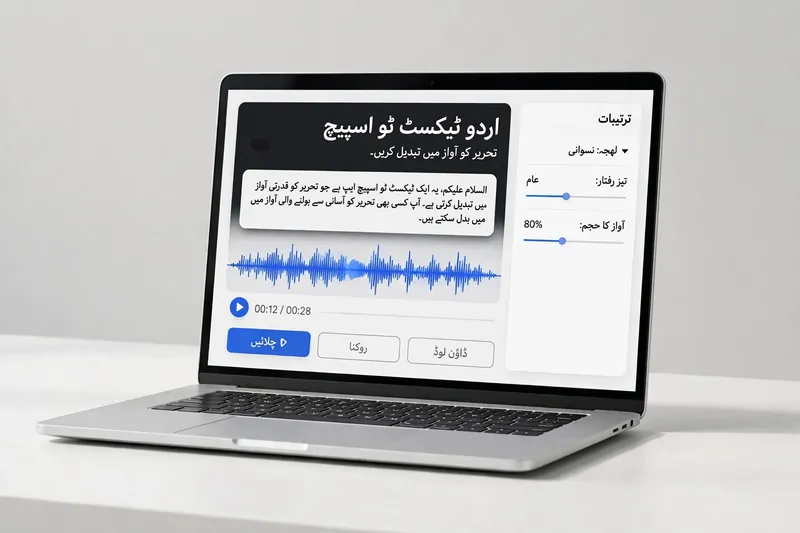
Urdu Text to Speech is a technology that converts written Urdu into spoken audio. It uses speech synthesis to produce clear, natural-sounding speech from digital text. Instead of reading every word, you can listen to the content anytime.
Modern Urdu TTS systems rely on Artificial Intelligence (AI), Machine Learning, and Natural Language Processing (NLP). These technologies help the system understand Urdu text, sentence structure, punctuation, and pronunciation. The AI then creates smooth digital speech that sounds more natural than older computer-generated voices.
The process begins when you enter Urdu text into a TTS tool. The system analyzes the text and breaks it into smaller language units. A Neural TTS model predicts how each word should sound. It also adjusts pauses, rhythm, and intonation to improve clarity. Finally, the tool generates an AI voice that reads the text aloud with human-like pronunciation.
The biggest difference between text and audio is how people consume information. Text requires visual attention, while audio allows hands-free listening. This makes Urdu Text to Speech useful during travel, study sessions, or daily tasks.
Today’s advanced Urdu TTS tools continue to improve through AI research and language modeling. Organizations such as the World Wide Web Consortium support text-to-speech as an important accessibility feature for digital content. Advances in neural speech technology have also improved voice quality, making AI-generated Urdu audio more natural and easier to understand.
How Urdu Text to Speech Works
Modern Urdu Text to Speech tools follow a simple process. They combine AI, language processing, and speech technology to create clear, natural audio from written Urdu.
Step 1 — Enter Urdu Text
Start by typing or pasting your content into the text box. Most tools support Urdu Unicode and the Nastaliq script. Using correct spelling and punctuation helps the system produce smoother and more accurate speech.
Step 2 — AI Processes the Text
The AI analyzes each sentence before creating audio. It uses Natural Language Processing (NLP) and Machine Learning to understand words, punctuation, and sentence flow. A built-in pronunciation engine identifies how each word should sound. The system also detects pauses and rhythm to improve clarity.
Step 3 — Speech Generation
Next, a voice model converts the processed text into speech. Modern AI models rely on Neural TTS to create natural voices with realistic tone and expression. The speech engine combines pronunciation, pacing, and intonation to deliver smooth audio generation that sounds more human than traditional computer voices.
Step 4 — Listen or Download Audio
After processing, the tool generates playable audio within seconds. You can listen online to review the result or download the file for later use. Many platforms offer common audio formats, making it easy to use the recording in lessons, presentations, videos, or personal learning. Organizations such as the Unicode Consortium maintain the Unicode Standard that enables consistent digital representation of Urdu text across devices.
Benefits of Urdu Text to Speech
Urdu Text to Speech offers more than simple audio conversion. It improves productivity, supports learning, and makes digital content easier to access for everyone.
Saves Time
Reading long documents takes time. Urdu Text to Speech reads them aloud in seconds. You can listen while working, traveling, or doing daily tasks.
Improves Accessibility
People with visual impairments or reading difficulties can access written content more easily. Text-to-speech supports inclusive digital experiences by turning text into clear audio. The World Wide Web Consortium recommends text alternatives and speech technologies to improve web accessibility.
Better Pronunciation
Modern AI voices produce clear and natural pronunciation. They help learners hear correct word sounds, sentence rhythm, and natural pauses. Regular audio reading also builds listening confidence.
Makes Learning Easier
Students can read and listen at the same time. This approach improves focus and memory. Teachers can also create AI narration for lessons, making educational content more engaging.
Hands-Free Listening
You can enjoy articles, notes, or study materials without looking at a screen. A natural voice creates a comfortable listening experience. This makes Urdu Text to Speech useful for learning, accessibility, and everyday educational use.
Common Uses of Urdu Text to Speech
Urdu Text to Speech serves many users across education, business, and daily life. It transforms written content into natural audio, making information easier to access and understand.
Students
Students can listen to notes, assignments, and study guides instead of reading them repeatedly. Audio learning improves focus and supports revision during travel or free time. It also helps students remember important concepts.
Teachers
Teachers can create engaging e-learning materials with clear AI-generated audio. They can turn lessons into listening exercises and share them with students. Audio content also supports learners with different learning styles.
Language Learners
Language learners improve their Urdu listening and pronunciation skills through regular practice. Hearing words in a natural voice builds confidence and strengthens vocabulary. It also helps learners understand sentence flow and correct word stress.
Content Creators
Content creators use Urdu Text to Speech for voice-over projects, videos, podcasts, and audiobooks. AI-generated narration saves recording time and speeds up content production. It also helps creators publish consistent audio across multiple platforms.
People with Visual Impairments
Text-to-speech provides valuable reading assistance for people with visual impairments. It converts websites, documents, books, and articles into spoken audio. This improves access to information and supports independent learning. The World Wide Web Consortium recommends text-to-speech technologies as part of accessible digital experiences.
Features to Look for in an Urdu Text to Speech Tool
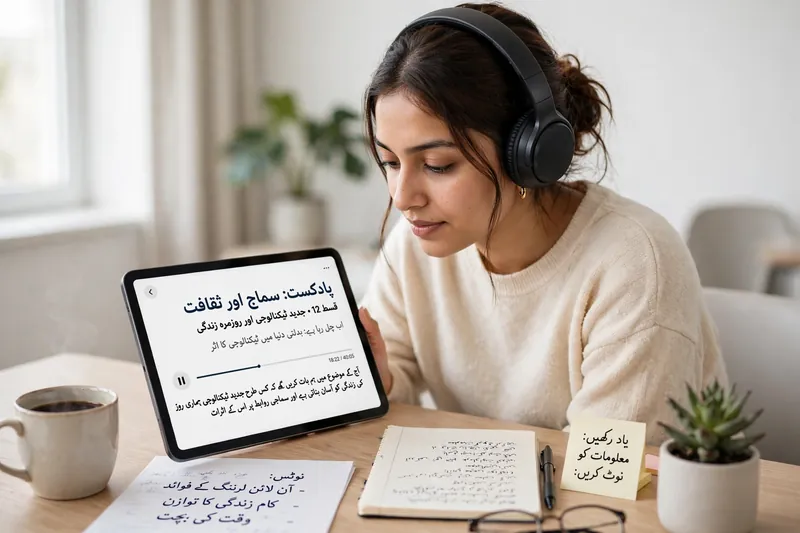
Choosing the right Urdu Text to Speech tool improves both voice quality and the overall listening experience. Focus on features that deliver clear, accurate, and flexible audio.
Natural AI Voices
Select a tool with realistic AI voices. Modern neural voice models produce smooth speech with natural rhythm and expression. This creates a more enjoyable listening experience.
Accurate Urdu Pronunciation
Good tools pronounce Urdu words correctly and support Urdu Unicode with the Nastaliq script. Accurate pronunciation makes educational content, narration, and public presentations more reliable.
Fast Audio Generation
A quality platform converts text into speech within seconds. Fast audio generation saves time and improves productivity for students, teachers, and content creators.
Multiple Voice Options
Choose software that offers different voice styles and genders. Voice customization and speed control help you match the audio to your audience and content type.
Download Support
Download options make your audio easy to reuse and share. Look for support for popular formats such as MP3 and WAV. These formats work well for videos, podcasts, presentations, and offline listening.
Best Practices for Better Urdu Audio Output
Good input creates better audio. Following a few simple practices helps your Urdu Text to Speech tool produce clear, natural results.
Use proper punctuation to create natural pauses and smooth sentence flow. Write correct Urdu spelling to improve pronunciation accuracy. Choose short sentences because they sound clearer and easier to understand.
Always use standard Urdu Unicode text. Unicode keeps characters consistent across devices and platforms. It also helps the speech engine read the text correctly.
Remove unnecessary symbols, repeated punctuation, and unsupported characters before generating audio. These elements may reduce voice quality or interrupt speech.
Finally, listen to the audio before downloading or sharing it. Review pronunciation, pacing, and clarity. Make small edits if needed. The Unicode Consortium maintains the Unicode Standard, which helps ensure accurate and consistent text processing across digital systems.
Frequently Asked Questions
What is Urdu Text to Speech?
Urdu Text to Speech is a technology that converts written Urdu into spoken audio. It uses AI and speech synthesis to create clear, natural-sounding voices.
Is Urdu Text to Speech free?
Many Urdu Text to Speech tools offer free plans with basic features. Premium versions often provide higher-quality voices, longer audio limits, and additional customization options.
Can I download Urdu speech as MP3?
Yes. Most modern tools let you download generated audio in MP3 format. Some platforms also support WAV for higher-quality audio.
Is AI voice natural?
Yes. Modern Neural TTS technology creates voices with natural pronunciation, realistic pauses, and smooth intonation. Voice quality depends on the AI model and the training data.
Can students use Urdu TTS for learning?
Yes. Students can listen to notes, textbooks, and study materials anytime. This improves comprehension, pronunciation, and revision. Teachers also use Urdu TTS to create engaging educational resources.
Does Urdu Text to Speech support Unicode Urdu?
Most reliable Urdu Text to Speech tools support Urdu Unicode and the Nastaliq script. Unicode ensures text displays and processes correctly across different devices and operating systems.
Conclusion
Urdu Text to Speech makes written content easier to understand through clear, AI-powered audio. It supports education, accessibility, content creation, and everyday listening. Modern AI voices deliver natural pronunciation and improve the overall user experience. Whether you want to study, create voice-overs, or listen instead of reading, a reliable Urdu TTS tool can save time and increase productivity. Choose a solution that offers accurate pronunciation, Unicode support, natural voices, and flexible download options to enjoy high-quality Urdu audio whenever you need it.
Related Guides
- Urdu Speech to Text
- Urdu Voice Typing
- Urdu Keyboard Uses: Practical Ways to Type in Urdu for Everyday Tasks
Try our free Urdu Keyboard tool to type Urdu online instantly.