Urdu Speech to Text: Convert Urdu Audio to Text with AI (Complete Guide)
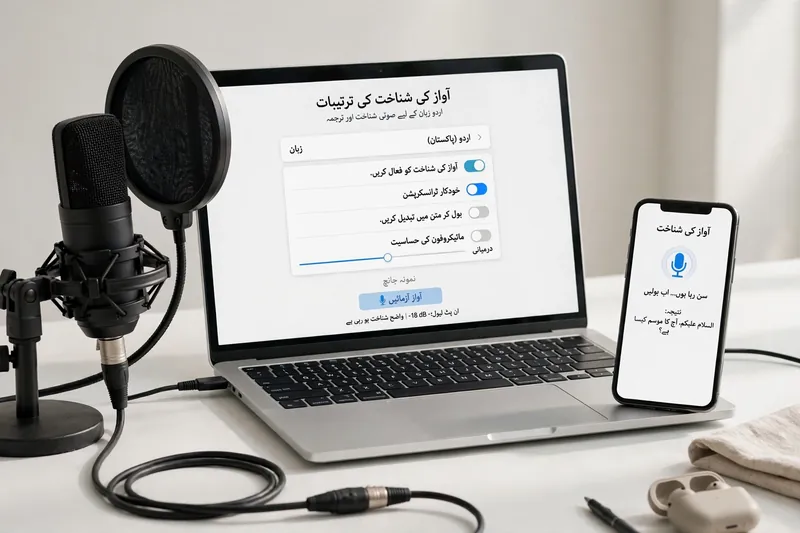
🎤 Try Urdu Voice Typing Demo
Click the microphone and speak in Urdu — your speech will appear as text below.
Urdu Speech to Text uses AI speech recognition to convert recorded Urdu audio into accurate written text. It helps students, journalists, researchers, businesses, and content creators save time. This guide explains how Urdu Audio to Text works, supported audio formats, accuracy factors, editing tips, and best practices for reliable transcription.
What is Urdu Speech to Text?
Definition
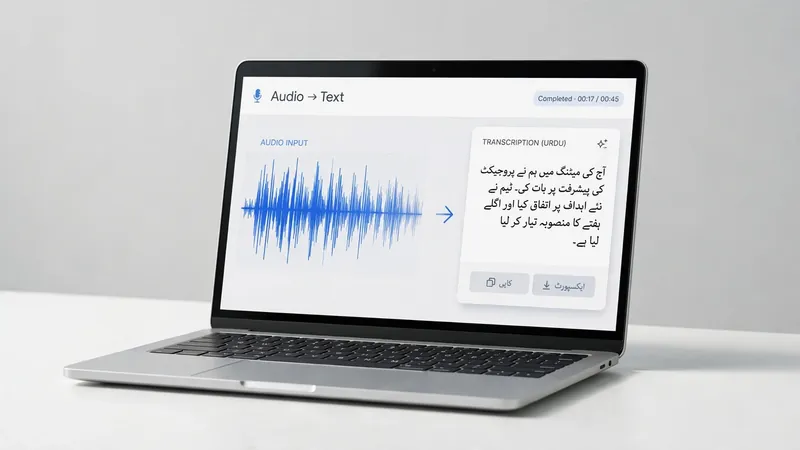
Urdu Speech to Text converts spoken Urdu into written text. It uses Automatic Speech Recognition (ASR) and Artificial Intelligence to understand speech and create accurate transcripts. This process, known as audio transcription, makes Urdu language transcription faster, more consistent, and easier to review.
How It Works
The process starts when you upload an audio file. The AI system analyzes speech patterns, words, and pronunciation. It uses speech recognition, machine learning, language models, and neural networks to identify spoken Urdu. Next, it recognizes the language, converts speech into text, and generates a readable transcript. Most modern systems also handle punctuation, sentence breaks, and mixed Urdu-English speech with improving accuracy.
Common Use Cases
Many people use Urdu Speech to Text to save time and improve productivity. Journalists transcribe interviews quickly. Students convert lectures into study notes. Businesses document meetings for future reference. Podcasters create written transcripts for better accessibility. Researchers organize spoken data with ease. Many users also convert voice notes into searchable text for faster sharing and record keeping.
How to Convert Urdu Audio to Text
Converting recorded Urdu audio into text is simple when you follow the right process. Each step helps improve transcription quality and reduces editing time.
Step 1 – Upload an Audio File
Upload your recorded audio to the transcription tool. Most platforms support common formats, including MP3, WAV, M4A, and AAC. Choose the original recording whenever possible. Clear audio produces more accurate results.
Step 2 – AI Processes the Audio
The AI engine starts by reducing background noise and separating speakers when needed. It detects the spoken language and divides audio into smaller speech segments. Automatic Speech Recognition (ASR), deep learning, and advanced AI models analyze each segment before converting speech into text.
Step 3 – Generate the Transcript
The system creates a written transcript in Unicode Urdu. Most tools display text in the Nastaliq script for better readability. They also organize sentences, add basic punctuation, and format the transcript into a clear structure.
Step 4 – Review and Edit
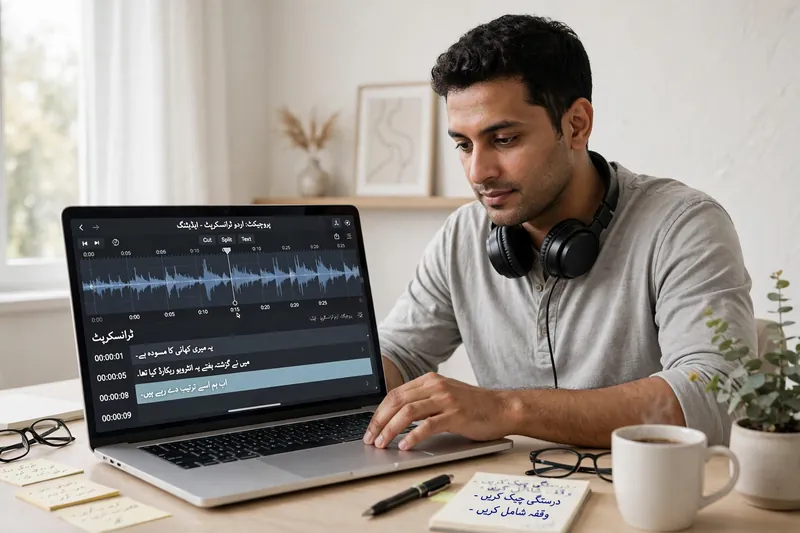
Read the transcript carefully before using it. Correct spelling mistakes, grammar issues, punctuation, and proper names. Pay extra attention to technical terms and mixed Urdu-English words. A quick review improves both accuracy and readability.
Step 5 – Export the Transcript
After editing, export the final transcript in your preferred format. Common options include TXT, DOCX, PDF, and SRT for subtitles. Select the format that matches your workflow, sharing needs, or publishing platform.
Supported Audio Formats
MP3
MP3 offers small file sizes with good audio quality. It works well for interviews, podcasts, lectures, and everyday voice recordings.
WAV
WAV stores uncompressed audio. It delivers higher sound quality, making speech recognition more accurate, especially for professional recordings.
M4A
M4A balances audio quality and file size. Many smartphones use this format for voice recordings and audio notes.
AAC
AAC provides better sound quality than MP3 at similar bitrates. It performs well for clear speech recordings and mobile devices.
FLAC and Other Formats
FLAC preserves original audio without losing quality. It suits professional transcription projects where every spoken word matters. Some Urdu Speech to Text tools also support formats such as OGG, WMA, and AIFF. Always check supported file types before uploading your audio.
EEAT Tip: Clear recordings produce better transcripts than any software alone. For best results, use high-quality audio captured with minimal background noise. Organizations such as the National Institute of Standards and Technology (NIST) and leading speech AI providers consistently identify audio quality as a key factor in speech recognition performance.
AI Accuracy in Urdu Speech Recognition
Modern Urdu Speech to Text systems use advanced AI to deliver reliable transcripts. However, accuracy depends on both the technology and the quality of your recording.
What Affects Accuracy?
Several factors influence transcription quality. Background noise can hide spoken words. Strong accents and regional dialects may change pronunciation. Multiple speakers make conversations harder to separate. Low recording quality also reduces accuracy. Clear speech and good audio help AI speech recognition understand Urdu more effectively. According to the National Institute of Standards and Technology (NIST), audio quality remains one of the most important factors in speech recognition performance.
Typical Accuracy Levels
AI performs best with clean, high-quality recordings. Results may decline when moderate background noise or overlapping speech appears. Heavy noise, poor microphones, and unclear pronunciation increase transcription errors. Modern Automatic Speech Recognition (ASR) systems continue to improve, but every transcript benefits from a careful human review before publication or official use.
Tips to Improve Results
Record audio with a high-quality microphone whenever possible. Choose a quiet room to reduce background noise. Let one person speak at a time and avoid interruptions. Speak clearly at a natural pace. Save recordings in a high-bitrate format to preserve audio details. Keep speaker overlap to a minimum during discussions. Review the transcript after processing and correct important names or technical terms. Research from Google, Microsoft, and OpenAI also highlights that clean audio consistently improves speech recognition accuracy.
Editing and Proofreading the Transcript
Even the best AI-generated transcript needs a final review. Careful editing improves accuracy, readability, and professionalism.
Common Errors
Look for words that sound alike but have different meanings. Check Urdu names carefully because AI may miss uncommon spellings. Review English loanwords that appear in Urdu conversations. Fix missing commas, full stops, and other punctuation to improve readability.
Best Editing Practices
Verify personal names, places, and technical terms against reliable sources. Review timestamps if your transcript includes them. Check headings, paragraphs, and overall formatting for consistency. Maintain Unicode Urdu throughout the document to avoid display issues across different devices and applications.
Final Quality Check
Before publishing or sharing, complete a final review. Confirm spelling, formatting, and transcript completeness. Compare the text with the original audio to catch missed words. A careful quality check produces a trustworthy and professional Urdu Audio to Text transcript.
Choosing an Urdu Speech to Text Tool
Selecting the right Urdu Speech to Text tool improves transcription quality and saves editing time. Compare features carefully instead of choosing a platform based only on popularity.
Recognition Accuracy
Choose a tool that delivers consistent results with clear and noisy recordings. Reliable AI should recognize spoken Urdu with minimal errors and preserve the meaning of conversations.
Urdu Language Support
Ensure the tool fully supports the Urdu language and Unicode Urdu output. Better language support improves recognition of common words, regional expressions, and mixed Urdu-English speech.
Supported File Formats
A good transcription tool should accept popular formats like MP3, WAV, M4A, and AAC. Wider format support makes uploading audio simple and convenient.
Export Options
Look for flexible export choices such as TXT, DOCX, PDF, and SRT. Multiple formats help you edit, share, archive, or publish transcripts without extra conversion.
Privacy & Security
Protecting your recordings is essential. Choose services that use data encryption during uploads and storage. Review their file deletion policy before uploading sensitive audio. Read the privacy policy to understand how your data is processed and whether recordings remain private. Strong privacy practices improve user trust and align with Google’s focus on trustworthy content.
Frequently Asked Questions
What is Urdu Speech to Text?
Urdu Speech to Text uses Artificial Intelligence and Automatic Speech Recognition (ASR) to convert recorded Urdu audio into written text. It helps users create accurate transcripts without typing everything manually.
Can AI accurately transcribe Urdu audio?
Yes, modern AI can transcribe Urdu audio with good accuracy when recordings are clear. Results improve with high-quality audio, clear pronunciation, and minimal background noise. Always review the final transcript before use.
Which audio formats are supported?
Most tools support common audio formats, including MP3, WAV, M4A, and AAC. Some platforms also accept FLAC, OGG, and other professional audio formats.
How long does transcription take?
Processing time depends on the audio length, file size, and service speed. Short recordings often finish within minutes, while longer files may require additional processing time.
Can I edit the generated transcript?
Yes. Most transcription tools allow you to edit spelling, punctuation, formatting, and proper names. A final review helps produce a polished and accurate document.
Does background noise affect transcription?
Yes. Loud background sounds, overlapping speakers, and poor recording quality reduce transcription accuracy. Recording in a quiet environment produces better results.
Can Urdu and English mixed audio be transcribed?
Many modern AI systems recognize mixed Urdu-English conversations. However, accuracy depends on pronunciation, recording quality, and the speech recognition model used.
Which industries use Urdu audio transcription?
Education, journalism, legal services, healthcare, research, media, customer support, and business organizations use Urdu Audio Transcription to document interviews, meetings, lectures, and recorded conversations.
Conclusion
Urdu Speech to Text makes it easy to convert recorded audio into accurate written text. Upload a clear audio file, let AI process the speech, review the transcript, and export it in your preferred format. Following these best practices improves accuracy and reduces editing time. As AI Speech Recognition continues to evolve, Urdu Audio Transcription will become faster, smarter, and more reliable for both personal and professional use.
Related Guides
Try our free Urdu Keyboard tool to type Urdu online instantly.