Urdu Keyboard Features: Everything You Need to Know
✨ Explore Urdu Keyboard Features
Click any feature to learn what it does.
The keyboard fixes common Urdu spelling mistakes automatically as you type, so your messages look clean with less effort.
Urdu Keyboard Features make Urdu typing faster, easier, and more accurate. An Urdu keyboard lets you type in the Urdu language using a digital keyboard layout on mobile devices and computers. Modern keyboards do much more than enter text. They help you type with greater speed and fewer mistakes.
Today’s smart keyboard tools offer features that improve your typing experience. They can suggest words, correct spelling, support multiple languages, and provide emojis, clipboard access, and voice input. These features work together to make everyday typing smoother and more efficient.
Most Urdu keyboards support Android, iPhone, Windows, macOS, and other popular platforms. This wide compatibility lets you switch between devices without changing how you type. In the following sections, you’ll learn about the most important Urdu Keyboard Features, including auto-correction, word prediction, emoji support, clipboard tools, multi-language support, voice support, themes, search support, and smart suggestions.
What Are Urdu Keyboard Features?
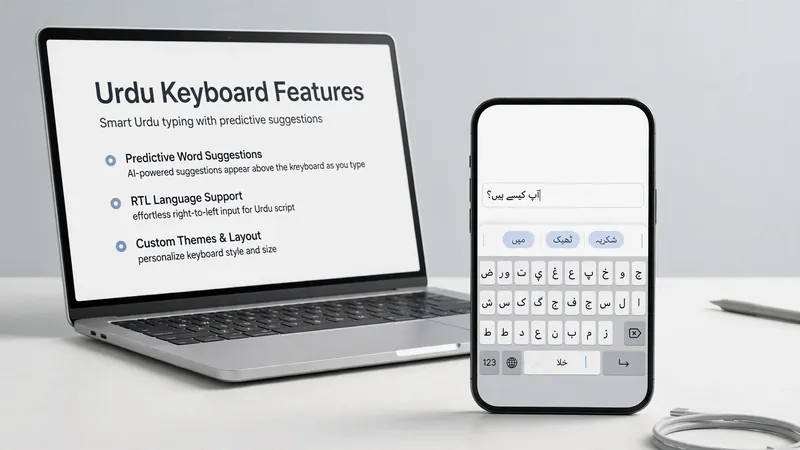
Urdu Keyboard Features are tools that improve how you type in the Urdu script. They go beyond simple key presses and help you write more quickly and accurately. These features work inside a smart keyboard or virtual keyboard to make typing easier on both mobile devices and computers.
A basic keyboard only enters the letters you press. A smart keyboard does much more. It can suggest words, fix spelling mistakes, understand your typing patterns, and support multiple languages. Many keyboards also include an Input Method Editor (IME) that converts your input into the correct Urdu characters using Unicode. This ensures your text displays correctly across websites, apps, and operating systems.
Urdu keyboards have changed significantly over time. Early keyboards focused only on a fixed keyboard layout for typing. Modern touch keyboards now combine intelligent software with language support to deliver a faster and smoother typing experience. These improvements help users write in Urdu with greater accuracy while keeping the typing process simple and natural.
Auto-Correction
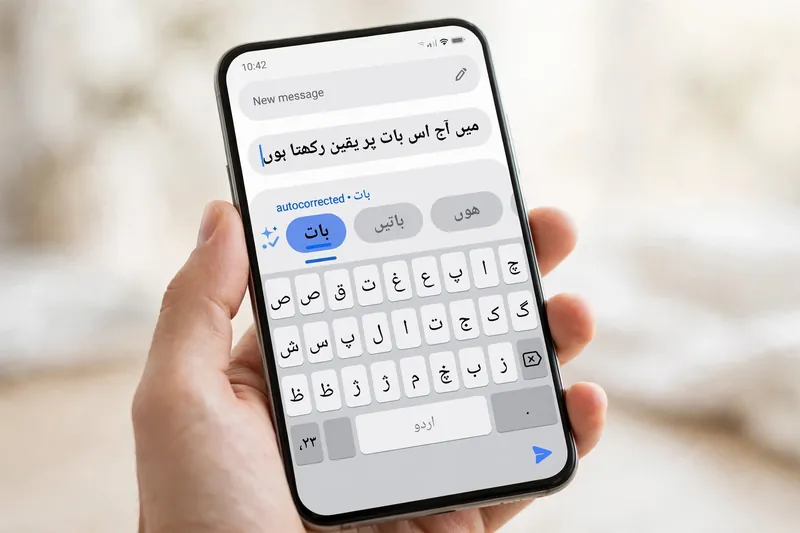
Auto-correction helps reduce typing mistakes as you write in Urdu. It checks your text while you type and replaces common spelling errors with the correct words. This feature makes Urdu typing smoother and helps users write with greater confidence.
How Auto-Correction Works
An Urdu keyboard compares the letters you enter with its built-in language dictionary. When it finds a likely mistake, it offers the correct spelling or replaces the word automatically. Modern Urdu autocorrect systems use Unicode to display the correct Urdu language characters across supported apps and devices.
Common Corrections While Typing Urdu
Many people press nearby keys by mistake or miss a letter while typing quickly. Auto-correction fixes these small errors before they interrupt your writing. It also improves smart typing by recognizing common words and correcting simple spelling mistakes. As a result, word correction becomes faster and more consistent without slowing your workflow.
Word Prediction
Word prediction helps you write faster by suggesting words before you finish typing them. Instead of entering every letter, you can choose a suggested word with a single tap. This feature reduces effort and creates a smoother typing experience on a smart keyboard.
Predictive Text
Predictive Text analyzes the letters you type and displays matching words in real time. As you continue writing, the keyboard updates its Word Suggestions to match your input. Many modern keyboards improve these AI Suggestions by learning common words and typing patterns over time, providing better Typing Assistance during everyday conversations.
Next Word Suggestions
Next Word Prediction goes one step further. It predicts the next word based on the sentence you have already written. For example, after a greeting, the keyboard may suggest a commonly used follow-up word. These Smart Suggestions help you complete sentences more quickly while keeping your writing natural and accurate.
Emoji Support
Modern Urdu keyboards include an Emoji Keyboard that makes conversations more expressive. A built-in emoji panel lets you add emojis without leaving the keyboard. Many keyboards also offer emoji search, helping you find the right emoji by entering a related word or phrase. Frequently used emojis appear in a separate section for quicker access. Emojis are also grouped into clear categories, such as smileys, people, animals, food, travel, and symbols. These features improve Emoji Support and make messaging faster across different apps. Urdu Keyboard Emojis work alongside text, allowing you to combine Urdu writing with visual expressions in a natural way.
Clipboard Feature
The Clipboard stores copied content so you can reuse it without typing everything again. This feature saves time when you work with repeated messages, addresses, links, or common phrases.
Save Frequently Used Text
Many modern keyboards include Clipboard History, which keeps recently copied items in one place. Instead of copying the same sentence many times, you can open the clipboard and select the text you need. This feature helps you organize Frequently Used Text and makes everyday typing more efficient.
Paste Faster
The clipboard also speeds up the Copy and Paste process. After copying text, you can paste it into another app with only a few taps. Some keyboards even let you pin important clipboard items, making them easy to access whenever you need them.
Multi-Language Support
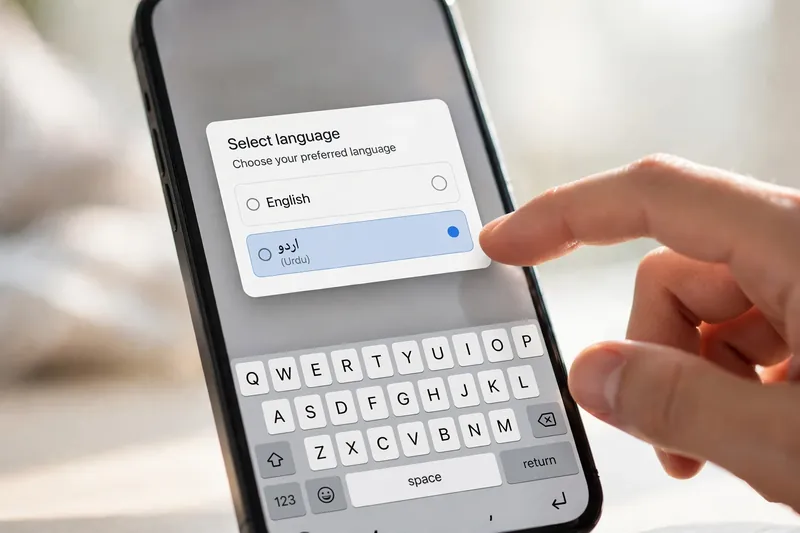
A modern Multilingual Keyboard lets you type in more than one language without changing your device settings. This feature is useful for people who communicate in Urdu and English throughout the day.
Urdu and English Switching
Most keyboards support quick Language Switching between the Urdu Keyboard and the English Keyboard. You can change languages with a single tap or swipe. This smooth transition helps you continue writing without interrupting your conversation or document.
Typing Multiple Languages
Many users combine Urdu, English, and Roman Urdu in the same message. Modern keyboards recognize these typing styles and adjust their suggestions automatically. This flexibility makes multilingual conversations easier across emails, chats, notes, and social media platforms.
Voice Support
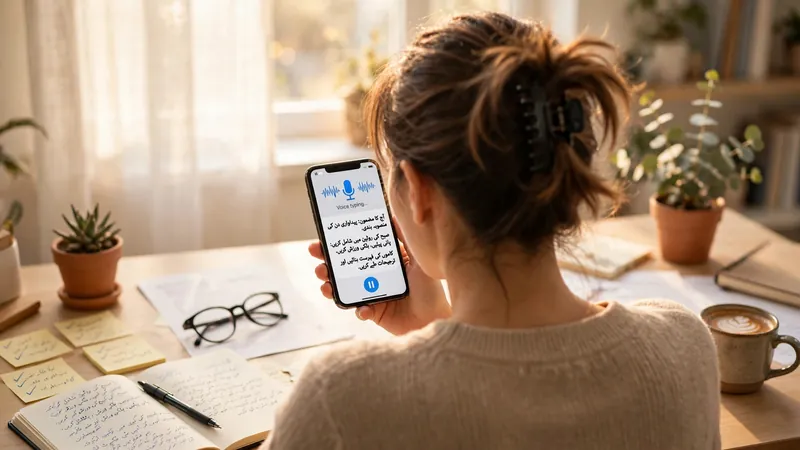
Many Urdu keyboards include Voice Typing for hands-free text entry. You speak into your device, and Speech Recognition converts your words into written text. This process uses your phone or computer’s microphone as the Speech Input source. Voice typing works well for short messages, notes, and quick searches. Modern Voice Recognition systems continue to improve their accuracy, making dictation a useful feature when typing is not convenient.
Themes and Appearance
Modern Urdu keyboards let you personalize their appearance through Keyboard Themes. You can change the Keyboard Background, choose different colors, or switch between Dark Mode and Light Mode. These options help match the keyboard with your device or personal style. Some keyboards also offer simple Customization settings for key shapes and visual layouts. While these changes do not affect typing functions, they create a more comfortable and personalized typing experience.
Search Support
Modern Urdu keyboards include Search Support to help you find content more quickly. Instead of scrolling through long lists, you can search for the exact item you need. Emoji Search lets you type a keyword to find matching emojis in seconds. Some keyboards also support GIF search, making it easy to add animated images without leaving the conversation. Where available, sticker search works in the same way. Many keyboards also offer Clipboard Search, allowing you to locate previously copied text instantly. These Smart Search tools reduce typing time and keep conversations smooth and organized.
Smart Suggestions
Smart Suggestions make typing feel faster and more natural. Instead of showing random words, the keyboard looks at your current sentence and offers relevant recommendations. These AI Suggestions change as you type, helping you complete messages with fewer taps.
Modern keyboards also remember frequently used words and phrases. Over time, they learn common typing patterns and improve their recommendations. This form of Predictive Typing provides better Word Suggestions for everyday conversations, emails, and notes. If you make a small spelling mistake, the keyboard may also recommend the correct word before you finish typing. These intelligent features work together to create a smoother and more efficient typing experience.
Frequently Asked Questions
What are Urdu keyboard features?
Urdu keyboard features are built-in tools that improve typing. They include auto-correction, predictive text, emoji support, clipboard tools, language switching, voice typing, search options, and smart suggestions.
Does an Urdu keyboard support predictive text?
Yes. Most modern Urdu keyboards support Predictive Text. They suggest words while you type, helping you write faster and reduce typing effort.
Can I switch between Urdu and English?
Yes. Most keyboards support quick language switching. You can move between Urdu and English with a single tap without changing your device settings.
Does every Urdu keyboard include emojis?
Many modern Urdu keyboards include an emoji panel. However, available emojis and search options may differ depending on the keyboard and platform.
What is the clipboard feature?
The clipboard stores copied text so you can paste it later. Some keyboards also include clipboard history to save recently copied items for quick access.
Can Urdu keyboards use voice typing?
Yes. Many Urdu keyboards support voice typing through speech recognition. You can speak into your device’s microphone, and the keyboard converts your speech into text.
Conclusion
Modern Urdu keyboards offer much more than simple text input. They combine intelligent tools that make typing faster, smoother, and easier across mobile devices and computers. Features like auto-correction, predictive text, emoji support, clipboard tools, language switching, voice typing, search options, and smart suggestions work together to improve everyday communication. Understanding these capabilities helps you use your keyboard more effectively and get the most from today’s Urdu Keyboard Features.
Related Guides
- Urdu Keyboard Benefits
- Urdu Keyboard Uses: Practical Ways to Type in Urdu for Everyday Tasks
- Urdu Keyboard Shortcuts
Try our free Urdu Keyboard tool to type Urdu online instantly.