Urdu Font Converter
✒️ Try It: Live Urdu Font Preview
Type your Urdu text and preview it in different styles and sizes:
A Urdu Font Converter changes Urdu text between Unicode and legacy fonts without changing its meaning. Students, writers, publishers, designers, and businesses use it for smooth editing and sharing. A reliable converter keeps text accurate, improves compatibility across devices and software, and preserves formatting during every conversion.
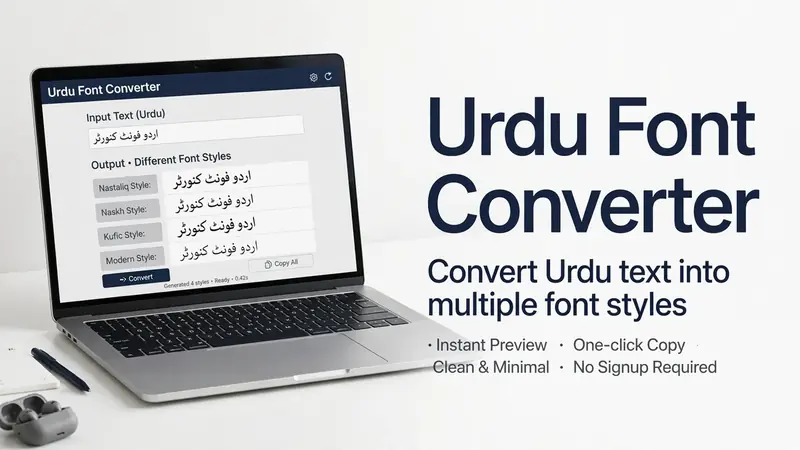
What Is an Urdu Font Converter?
Simple Definition
An Urdu Font Converter changes Urdu text from one font or encoding to another without changing its meaning. It converts text between Unicode and legacy fonts, such as InPage, while keeping the original words intact. Font conversion changes how text displays. Translation changes one language into another. A reliable converter preserves characters, formatting, and readability for accurate results across different platforms.
Who Uses an Urdu Font Converter?
Many people rely on an Urdu Font Converter every day. Students prepare assignments with compatible fonts. Teachers create readable learning materials. Publishers convert manuscripts for printing and digital publishing. Bloggers and journalists publish content that works across websites and devices. Businesses prepare reports, invoices, and marketing materials. Government offices manage official documents with consistent formatting. Designers use compatible fonts for graphics and layouts. Developers integrate Unicode text into websites and applications. A dependable converter helps every user save time, reduce formatting errors, and share Urdu text with confidence across Microsoft Word, Google Docs, web browsers, and mobile devices.
Types of Urdu Font Conversion
Different users need different conversion methods. The right option depends on your document, software, and workflow. Understanding these types helps you choose the best conversion for accurate and compatible Urdu text.
Legacy Fonts to Unicode
Legacy-to-Unicode conversion changes older Urdu text into the Unicode standard. Many users convert InPage documents to Unicode for easier editing and sharing. This process improves copy-paste compatibility across Microsoft Word, Google Docs, websites, and mobile devices. It also helps preserve readable text when moving old documents to modern platforms. The Unicode Standard supports consistent text representation across operating systems and applications. Unicode Standard
Unicode to Legacy Fonts
Unicode-to-legacy conversion changes modern Unicode text into older formats, such as InPage. Publishers often need this format for established printing systems and publishing workflows. Some printing houses and organizations still depend on legacy software. This conversion lets users keep existing processes while preparing documents that match specific layout and production requirements.
Font-to-Font Conversion
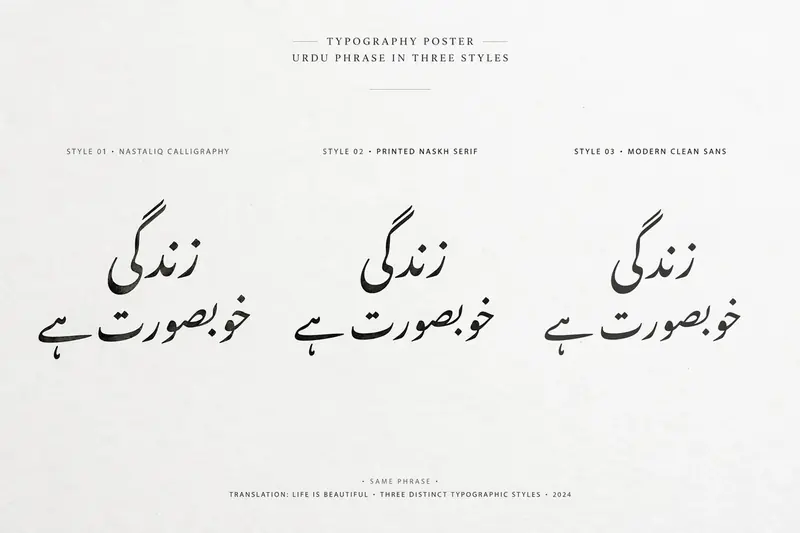
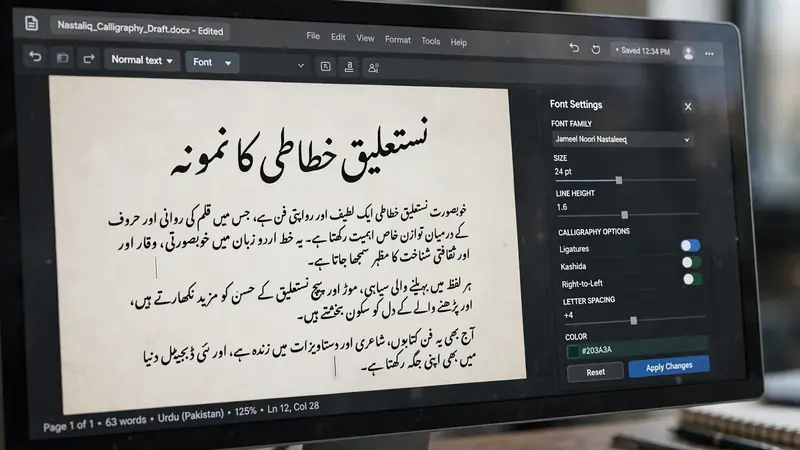
Font-to-font conversion changes the appearance of Urdu text while keeping the same content. Users often switch between Jameel Noori Nastaleeq, Nafees Nastaleeq, Pak Nastaleeq, and Noto Nastaliq Urdu to meet design or readability needs. This method works best when the fonts support the same Unicode characters. It helps create consistent documents, websites, presentations, and digital publications without changing the original text.
How the Urdu Font Conversion Process Works
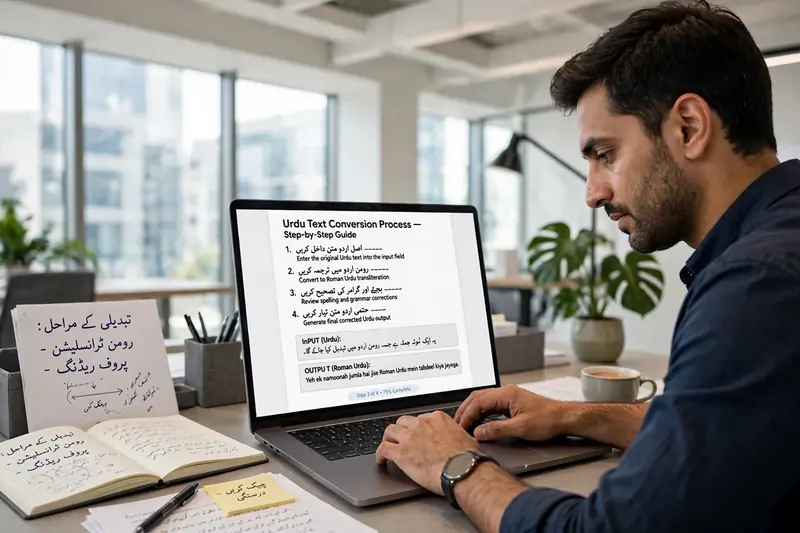
A reliable Urdu Font Converter follows a clear process to keep your text accurate. Each step protects characters, improves compatibility, and delivers readable results across different platforms.
Step 1 – Input Urdu Text
Paste or type your Urdu text into the converter. Some tools also let you upload existing documents. Clear input helps the converter process every character correctly.
Step 2 – Detect Font or Encoding
The converter identifies whether your text uses Unicode or a legacy encoding, such as InPage. Correct detection reduces conversion errors and prepares the text for accurate processing.
Step 3 – Character Mapping
The converter matches every source character with its correct destination character. This character mapping process keeps words, punctuation, and symbols unchanged. Accurate mapping also supports proper font rendering and improves readability after encoding conversion.
Step 4 – Generate Converted Text
After processing, the tool creates converted Urdu text in the selected format. It checks the output for compatibility and preserves the original content during the conversion process.
Step 5 – Copy or Download Output
Review the converted text before use. Then copy, paste, or download the final version. This step makes sharing, editing, and publishing simple across different devices and applications.
Compatibility Across Devices and Software
Unicode-based Urdu text works smoothly on modern devices and software. Good compatibility reduces formatting issues and keeps your documents readable wherever you use them.
Windows and macOS
Most Windows and macOS applications support Unicode and UTF-8. You can edit, save, and share Urdu text without losing characters. Unicode also improves copy-paste accuracy between programs and digital documents.
Android and iPhone
Android and iPhone devices display Unicode Urdu correctly when supported fonts are available. Users can read, edit, and share text through messaging apps, browsers, and productivity tools without major formatting problems.
Microsoft Word and Google Docs
Microsoft Word and Google Docs handle Unicode Urdu efficiently. Users can copy, paste, edit, and format documents while keeping text consistent. This support simplifies collaboration and document sharing across different platforms.
Web Browsers and Websites
Modern web browsers support UTF-8 and Unicode for reliable Urdu display. Website owners can publish readable Urdu content without custom encoding settings. This compatibility improves web publishing, strengthens user experience, and keeps digital documents accessible across desktop and mobile devices. Authoritative guidance from the Unicode Consortium and the W3C recommends Unicode and UTF-8 for consistent multilingual web content. Unicode Consortium W3C Internationalization Guide
Common Urdu Font Conversion Issues and Solutions
Even the best Urdu Font Converter can face challenges. Most issues have simple fixes. Understanding these problems helps you produce accurate and readable Urdu text.
Broken Characters
Broken characters usually appear when the source and target encodings do not match. Select the correct conversion type before starting. Use Unicode whenever possible to improve compatibility and maintain readable text across different platforms.
Missing Glyphs
Some fonts lack the glyphs needed for specific Urdu characters. Install a Unicode-supported font, such as Noto Nastaliq Urdu or Jameel Noori Nastaleeq. Complete font support improves rendering and displays every character correctly.
Incorrect Character Order
Wrong character order can affect readability and word spacing. This issue often results from incorrect character mapping or unsupported encoding. Use a trusted converter that preserves character sequences during text processing and encoding conversion.
Copy-Paste Problems
Text may lose formatting or display unreadable symbols after copying. Paste the content into a Unicode-compatible application like Microsoft Word or Google Docs. Save documents with UTF-8 encoding when sharing or publishing online.
Unsupported Legacy Fonts
Some legacy fonts use custom encoding that modern software cannot recognize. Convert these files to Unicode first. Unicode improves compatibility with current operating systems, browsers, and document editors.
Best Practices for Accurate Conversion
Choose a reliable conversion tool with proven Unicode support. Review the converted text carefully and compare it with the original. Small checks prevent errors and ensure accurate results before sharing or publishing.
Tips for Getting Accurate Urdu Font Conversion Results
Good conversion starts with the right approach. These practical tips help you create accurate, readable, and compatible Urdu text every time.
Use Unicode whenever possible because it works across modern devices and software. Always compare the converted text with the original document. This quick review helps you catch missing characters or formatting errors.
Keep a backup of the original file before making changes. You can restore the source if the conversion produces unexpected results.
Check headings, paragraphs, spacing, and line breaks after conversion. Small formatting issues can affect readability and document quality.
Test the converted text on Windows, macOS, Android, and iPhone whenever possible. Cross-device testing confirms consistent display and proper font rendering.
Choose trusted conversion tools that support Unicode standards and accurate character mapping. Review punctuation, numbers, and special symbols before publishing. Finally, validate the completed document in the software or website where you plan to use it. These simple steps improve accuracy, reduce errors, and create a better experience for every reader. Unicode Consortium W3C Internationalization Guide
Frequently Asked Questions (FAQs)
What is an Urdu Font Converter?
An Urdu Font Converter changes Urdu text between Unicode and legacy fonts without changing the original content. It improves compatibility, simplifies editing, and helps users share readable Urdu text across different devices, software, and online platforms.
Can I convert InPage to Unicode?
Yes. Most modern Urdu Font Converters support InPage to Unicode conversion. This process makes older documents easier to edit, copy, search, and share in applications like Microsoft Word, Google Docs, and web browsers.
Does conversion change the meaning?
No. Font conversion only changes the text format or encoding. It does not translate or rewrite the content. A reliable converter preserves the original words, punctuation, and meaning throughout the conversion process.
Which Urdu fonts are commonly supported?
Many converters support popular fonts, including Jameel Noori Nastaleeq, Nafees Nastaleeq, Pak Nastaleeq, Noto Nastaliq Urdu, and InPage fonts. Supported fonts vary by tool, so always check compatibility before converting important documents.
Why does converted text sometimes appear broken?
Broken text usually results from incorrect encoding, unsupported legacy fonts, or missing font files. Select the correct conversion type and use Unicode-compatible software to reduce display and formatting issues.
Can I use converted text in Microsoft Word and Google Docs?
Yes. Unicode Urdu text works well in Microsoft Word and Google Docs. You can edit, format, copy, and share documents while keeping characters readable and consistent across supported devices.
Is Unicode better for websites?
Yes. Unicode works best for websites because it supports UTF-8, improves browser compatibility, enhances search engine indexing, and displays Urdu text consistently across desktop and mobile devices. The Unicode Consortium and W3C recommend Unicode for multilingual web content. Unicode Consortium W3C Internationalization Guide
Conclusion
An Urdu Font Converter makes Urdu text easier to edit, share, and publish. It converts text accurately while improving compatibility across devices and software. A trusted converter preserves formatting, reduces errors, and supports smooth workflows. Choose a reliable Unicode-based tool for consistent results, better document quality, and a seamless experience across modern digital platforms.
Related Guides
- Urdu Unicode Converter
- Urdu Unicode – What It Is, Purpose, Benefits, and Why It Matters
- Urdu Keyboard Special Characters
Try our free Urdu Keyboard tool to type Urdu online instantly.