Urdu Keyboard Extension: Type Urdu Easily in Chrome, Edge & Firefox
✅ Urdu Keyboard Extension — Setup Checklist
Follow these steps to install and enable the extension. Tick each box as you complete it:
0% complete
An Urdu Keyboard Extension lets you type Unicode Urdu directly in your web browser. It works with Chrome, Microsoft Edge, and Firefox, making Urdu typing simple on websites and online tools. Students, professionals, bloggers, and content creators can all benefit from this browser extension. You can install it in minutes, start typing with ease, and create accurate Urdu text across the web.
What Is an Urdu Keyboard Extension?
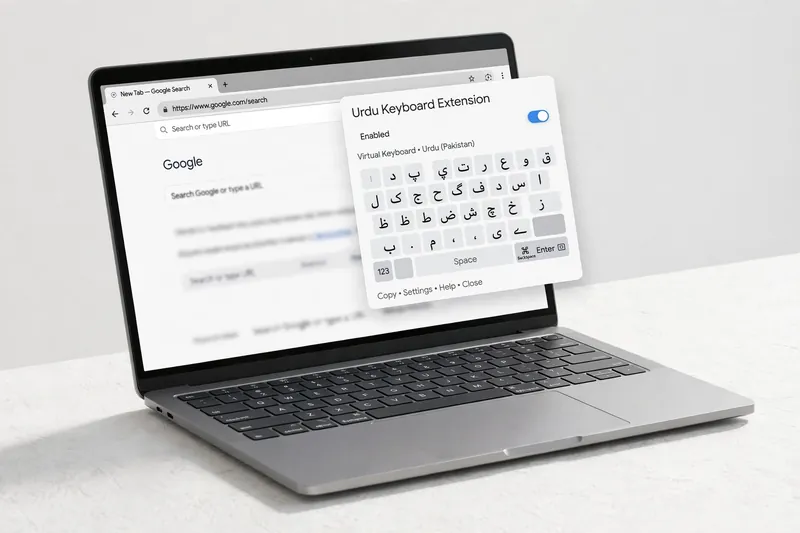
An Urdu Keyboard Extension is a browser tool that lets you type Urdu on websites without changing your computer’s keyboard. It adds an Input Method to your browser, so you can write in Unicode Urdu wherever you need. Most extensions support Chrome, Microsoft Edge, and Firefox, making Urdu typing available across popular browsers.
Unlike a physical keyboard, an Urdu keyboard extension does not replace your hardware. Instead, it works inside your browser. You can switch between English and Urdu with a click or a keyboard shortcut. Many extensions also support transliteration, which converts Roman Urdu into Urdu script as you type. Others use a traditional keyboard layout for direct Urdu input.
Most modern extensions produce Unicode text. Unicode keeps your writing readable across websites, search engines, emails, and online documents. It also helps preserve formatting when you copy or share text. Because these extensions work inside the browser, you can type Urdu on social media, web forms, email services, and blogging platforms without installing separate typing software.
How It Works
An Urdu keyboard extension detects active text fields in your browser. It then applies your selected Input Method while you type. If you use transliteration, the extension converts Roman Urdu into Unicode Urdu in real time. If you prefer a standard keyboard layout, it enters Urdu characters directly. The result is accurate, browser-based Urdu typing that works across supported websites.
Why Use an Urdu Keyboard Extension?
An Urdu Keyboard Extension makes Urdu language input simple and fast. You can type naturally without learning a new keyboard or changing your computer settings. It works inside your browser, so you can write Urdu whenever you need it.
Faster Urdu Typing
Most extensions support phonetic typing. You type familiar English letters, and the extension converts them into Urdu script. This method speeds up Urdu text typing and reduces typing errors. If you prefer, you can also use a standard Urdu keyboard layout.
Works Across Websites
A browser extension lets you type on many websites with the same typing experience. You can write emails in Gmail, create documents in Google Docs, publish articles on WordPress, and post on Facebook, X (Twitter), and LinkedIn. It also works well with online forms and other web-based tools.
No Language Switching
You do not need to change your operating system’s language settings. The extension manages browser typing inside supported websites. This saves time and keeps your workflow smooth.
Supports Unicode Text
Most extensions produce Unicode Urdu. Unicode keeps your text readable across browsers and websites. It also preserves your formatting when you copy, paste, or share content. This makes Urdu script typing reliable for study, work, blogging, and everyday communication.
Supported Browsers
Most modern Urdu keyboard extensions support today’s leading web browsers. They offer a familiar experience and make it easy to type Unicode Urdu across different platforms. Installing an extension from an official browser store also improves security and ensures you receive future updates.
Urdu Keyboard Extension for Google Chrome
Google Chrome offers the largest collection of browser extensions through the Chrome Web Store. You can search for an Urdu Keyboard Extension, install it with one click, and start typing within minutes. If you sign in to Chrome, your extension settings can sync across your devices, making Urdu typing more convenient.
Microsoft Edge
Microsoft Edge uses the Chromium engine, so it supports many Chrome-compatible extensions. You can install an Urdu Keyboard Extension from the Edge Add-ons store or, if enabled, compatible Chrome extensions. Setup takes only a few clicks, and the typing experience remains smooth and consistent.
Mozilla Firefox
Mozilla Firefox supports Urdu typing through Firefox Add-ons. Many extensions offer Unicode support, phonetic typing, and customizable keyboard layouts. Once installed, you can type Urdu across compatible websites without changing your physical keyboard.
Cross-Browser Compatibility
Many Urdu keyboard extensions work across Chromium-based browsers and Firefox. Regular updates improve performance, security, and compatibility. Always review an extension’s permissions before installation and download it only from an official browser extension store.
How to Install an Urdu Keyboard Extension
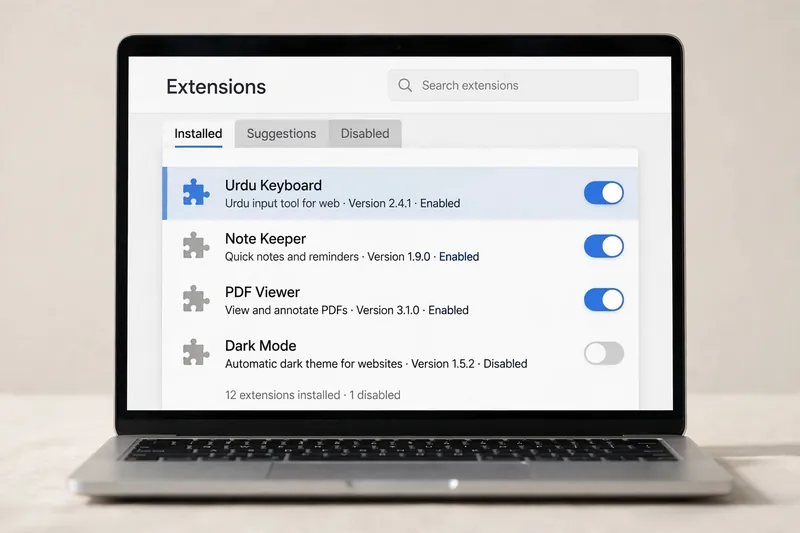
You can install an Urdu keyboard extension in just a few minutes. Always download a browser extension from an official browser store. This helps protect your privacy and reduces security risks. Before you install any extension, review its features, ratings, and extension permissions.
Chrome Installation
- Open the Chrome Web Store.
- Search for an Urdu Keyboard Extension.
- Select a trusted extension with good reviews.
- Click Add to Chrome.
- Confirm by selecting Add Extension.
- Pin the extension to the browser toolbar for quick access.
- Open any website with a text field and start typing in Urdu.
Edge Installation
Open the Microsoft Edge Add-ons store and search for an Urdu Keyboard Extension. Select a trusted extension and click Get. Follow the prompts to complete the installation. Pin the extension to your toolbar for easier access.
Firefox Installation
Visit Firefox Add-ons and search for an Urdu Keyboard Extension. Choose a reliable extension and click Add to Firefox. Accept the requested permissions and complete the setup. You can then begin typing Urdu on supported websites.
Use only official browser stores for every installation. They help deliver verified updates and improve browser security.

How to Use an Urdu Keyboard Extension
After installation, click the extension icon in your browser toolbar. Enable the extension and choose your preferred typing mode. Open any website with a text box and begin typing. The extension works in emails, documents, search boxes, and online forms. You can copy and paste your Unicode Urdu text without losing formatting. Most extensions also let you toggle between English and Urdu with a single click or a keyboard shortcut.
Urdu Phonetic Typing
Phonetic typing uses transliteration. You type Roman Urdu, and the extension converts it into Urdu text instantly. This method works well for beginners because it follows familiar English letters.
Direct Urdu Keyboard Layout
Some users prefer a traditional Urdu keyboard mapping. This option places Urdu characters on specific keys for direct input. It offers greater control and suits experienced Urdu typists.
Key Features to Look For
Not every extension offers the same experience. Choose one that balances speed, accuracy, security, and ease of use.
Unicode Support
Unicode ensures your Urdu text displays correctly across websites, browsers, and online documents. It also maintains proper character encoding when you copy or share content.
Phonetic Typing
A good extension should support phonetic typing through transliteration. This feature helps users type Urdu quickly without memorizing a new keyboard layout.
Fast Performance
The extension should respond instantly while you type. Fast performance improves productivity and creates a smooth typing experience.
Privacy
Review the extension’s privacy policy and browser permissions before installation. Install only extensions that request permissions relevant to their features.
Lightweight Design
A lightweight extension uses fewer system resources and keeps your browser responsive. It should load quickly without affecting normal browsing.
Regular Updates
Choose an extension that receives frequent updates. Regular maintenance improves compatibility, fixes bugs, strengthens security, and keeps the extension working with the latest browser versions.
Common Uses of an Urdu Keyboard Extension
An Urdu Keyboard Extension helps you write Urdu wherever you work online. You can draft emails, publish blog posts, and share updates on social media without changing your keyboard settings. Students can complete school assignments, while professionals can prepare reports and business messages. It also works well for filling online forms, replying to customers, and managing daily communication. Many writers use it as an Urdu writing tool for articles, website content, and Urdu content creation. It also supports browser-based Urdu text editor platforms, making it easy to create, edit, and share Unicode Urdu across different websites.
Frequently Asked Questions
Is an Urdu Keyboard Extension free?
Many Urdu keyboard extensions are free to install and use. Some offer premium features, but basic Urdu typing is usually available at no cost. Always download extensions from an official browser store.
Does it work on Chrome, Edge, and Firefox?
Yes. Most modern Urdu keyboard extensions support Google Chrome, Microsoft Edge, and Mozilla Firefox. Always check the extension page to confirm browser compatibility before installing it.
Can I type Unicode Urdu?
Yes. Most quality extensions generate Unicode Urdu. Unicode keeps your text readable across websites, search engines, email services, and online documents. It also preserves formatting when you copy and paste text.
Is an internet connection required?
You usually need an internet connection to install the extension. After installation, many extensions can type Urdu without a constant connection. However, some cloud-based features may still require internet access.
Is my typing private?
Privacy depends on the extension you choose. Install extensions from official browser stores and review their privacy policy and requested permissions. Trusted developers clearly explain how they handle user data.
Can I switch between English and Urdu?
Yes. Most extensions let you switch between English and Urdu with a toolbar button or a keyboard shortcut. This makes bilingual typing quick and convenient.
Conclusion
An Urdu Keyboard Extension offers a simple way to type Unicode Urdu in Chrome, Microsoft Edge, and Firefox. It installs quickly, works across many websites, and supports secure browser-based typing. Whether you are a student, professional, blogger, content creator, or everyday user, the right extension can improve your typing experience. For the best security and performance, install your Urdu Keyboard Extension only from an official browser extension store and keep it updated.
Related Guides
Try our free Urdu Keyboard tool to type Urdu online instantly.