Urdu Typing Lessons: Complete Beginner to Advanced Learning Guide
✍️ Try It: Urdu Typing Practice
Type the Urdu sentence below exactly. Correct letters turn green as you type:
Accuracy: 100%
🎉 Perfect! Try another sentence.
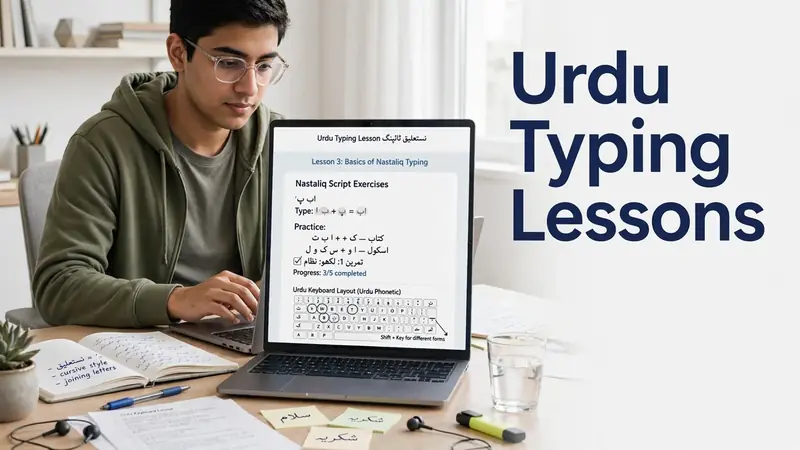
Urdu typing lessons open new opportunities in education, work, and digital communication. This guide helps beginners build strong typing skills step by step. You will learn the basics, understand the Urdu keyboard, and explore modern Urdu Unicode typing. Each lesson builds on the previous one. The roadmap moves from beginner concepts to advanced proficiency. Whether you study, write content, or work in an office, these Urdu Typing Lessons will help you type with confidence and accuracy.
Why Learning Urdu Typing Matters Today
Urdu typing has become an essential digital skill. People use it for education, business, and daily communication. Students prepare assignments in the Urdu language. Professionals create reports, letters, and official documents. Freelancers write articles, translate content, and manage client projects. Publishers and writers produce books, blogs, and online content.
Modern systems rely on Urdu Unicode for consistent text display across websites, apps, and devices. The Unicode Standard helps computers represent characters from many languages, including Urdu, in a reliable way. This improves compatibility and makes sharing documents much easier.
Learning to use an Urdu keyboard also increases speed and confidence. Modern keyboard technology supports efficient input on computers and mobile devices. These Urdu Typing Lessons will help you learn Urdu typing through a clear, structured path. You will build practical typing skills that support academic, professional, and personal goals.
Lesson 1 — Understanding Urdu Typing Fundamentals
What Is Urdu Typing?
Urdu typing means entering Urdu text on a digital device. It uses the Urdu script instead of the Latin alphabet. Most modern devices support Urdu Unicode, which stores and displays text consistently. Unicode keeps Urdu readable across websites, documents, and operating systems. The Nastaliq writing system gives Urdu its elegant appearance. Many digital fonts now render Nastaliq smoothly. Learning these basics helps you understand how digital Urdu typing works before using any keyboard.
Types of Urdu Keyboards
Several keyboard options support Urdu typing. The Urdu Phonetic Keyboard matches Urdu sounds with English keys. Many beginners find this layout easier to learn. A traditional Urdu keyboard layout places letters in fixed positions for experienced users. A virtual keyboard lets users type with a mouse or touch screen. Windows also includes a built-in Urdu keyboard through its language settings. Most modern options support Unicode for reliable text compatibility.
Choosing the Right Keyboard
Choose a keyboard that matches your learning goals. Beginners usually learn faster with a phonetic keyboard. Professionals may prefer a standard layout for consistent workflows. Always select a keyboard with full Unicode compatibility. It keeps your documents readable across devices and software. A familiar layout also reduces confusion and supports steady progress.
Lesson 2 — Learning the Urdu Keyboard Layout
Keyboard Structure
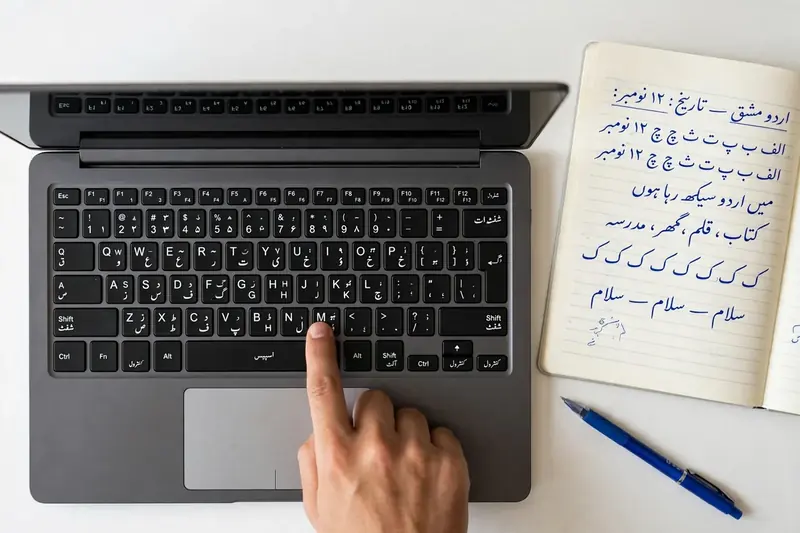
A keyboard layout determines where every Urdu letter appears. It also includes punctuation marks and common symbols. Modifier keys like Shift, Alt, and Ctrl unlock additional characters and shortcuts. Learning these positions builds keyboard familiarity. You spend less time searching for keys and more time focusing on your writing.
Finger Placement Basics
Correct finger placement improves comfort and control. Keep your fingers close to the home row whenever possible. Rest your wrists in a natural position. Sit upright and keep your shoulders relaxed. Good ergonomics reduce strain during long typing sessions. A comfortable posture also supports better accuracy and smoother movement.
Building Muscle Memory
Muscle memory develops through regular use. Your fingers begin to remember key positions naturally. Stay consistent with your keyboard layout. Avoid switching layouts too often. Focus on accuracy before speed. Strong habits create lasting typing confidence. Speed improves naturally as your movements become more precise.
Lesson 3 — Developing Real Urdu Typing Skills
Improving Typing Accuracy
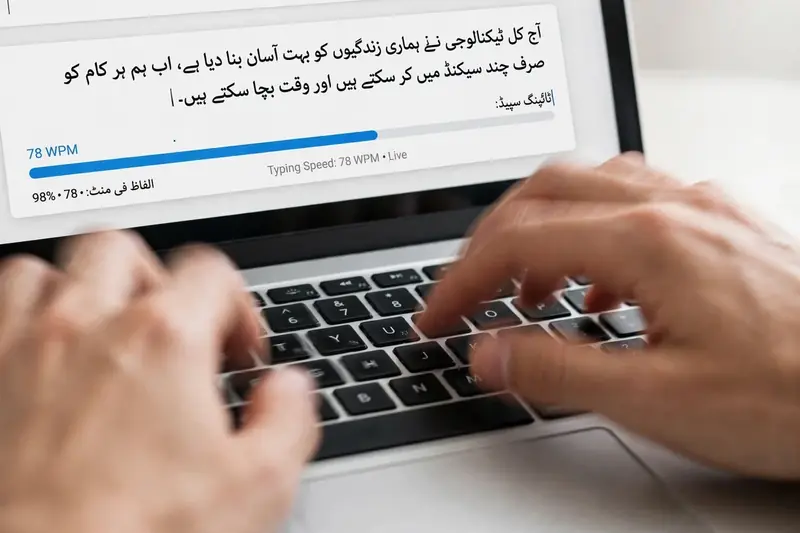
Accuracy forms the foundation of strong Urdu typing skills. Correct typing reduces editing time and improves document quality. Learn to recognize each Urdu character before typing faster. Read the text carefully as you type. Keep a steady rhythm instead of rushing. Consistent movements produce fewer mistakes. Familiarity with the keyboard also improves character recognition. Strong accuracy builds confidence and prepares you for professional work in education, publishing, and digital communication.
Increasing Typing Speed Naturally
Typing speed grows with patience and regular practice. Do not chase speed during the early stages. Focus on smooth and controlled movements first. Your hands become faster as they remember key positions. Daily consistency brings better results than long, irregular sessions. Confidence also grows with each lesson. As your keyboard familiarity improves, you type naturally without unnecessary pauses. Over time, speed and accuracy work together to create efficient Urdu typing.
Common Beginner Mistakes
Many beginners depend on the keyboard instead of the screen. This habit slows learning. Poor posture also causes discomfort and reduces control. Some learners choose a keyboard layout that does not match their goals. Others skip the basics and expect quick results. Build a strong foundation first. Small improvements each day lead to lasting typing skills.
Beginner Learning Roadmap
Step 1: Learn the Urdu Keyboard
Start by understanding your Urdu keyboard layout. Learn where letters, symbols, and special characters appear. Choose one layout and stay with it. Frequent changes create confusion and slow progress. A familiar keyboard helps you build confidence and supports faster learning in later lessons.
Step 2: Understand Unicode Typing
Next, learn how Urdu Unicode works. Unicode keeps Urdu text consistent across computers, websites, and mobile devices. It also improves compatibility with modern software and cloud platforms. Understanding Unicode helps you create documents that remain readable wherever you share them.
Step 3: Build Daily Typing Habits
Create a simple daily learning routine. Set aside a few minutes each day for focused learning. Review previous lessons before learning something new. Stay consistent, even when progress feels slow. Small improvements become lasting skills over time. This steady approach prepares you for more advanced Urdu typing techniques and professional applications.
Intermediate Learning Roadmap
Strengthen Keyboard Familiarity
Continue using the same keyboard layout every day. Familiar key positions reduce hesitation and improve typing flow. You also recognize characters more quickly. Better keyboard familiarity supports higher accuracy and prepares you for longer writing tasks.
Improve Workflow
Work on completing documents with fewer interruptions. Organize your typing process before you begin writing. Learn common keyboard shortcuts available in your operating system and software. Efficient habits save time and improve productivity without increasing effort.
Expand Professional Usage
Apply your Urdu typing skills to real projects. Create office documents, write blog posts, prepare digital content, or translate information. Many freelancers also use Urdu typing for client work and online publishing. These practical applications strengthen your experience and increase your confidence in professional environments.
Advanced Learning Roadmap
Master Professional Urdu Typing
Professional Urdu typing requires accuracy, consistency, and efficiency. Focus on producing clean documents with minimal errors. Follow a Unicode-first approach for every project. Unicode keeps your files compatible with modern software, websites, and operating systems. Maintain an organized workflow from drafting to final editing. These habits improve productivity and help you meet professional standards in publishing, education, business, and digital content creation.
Working Across Platforms
Modern Urdu typing works on many devices and platforms. Windows offers built-in language input methods for Urdu. Web applications also support Unicode text without extra formatting. Mobile devices include Urdu keyboards for everyday communication. Cloud documents preserve Unicode text across devices. This flexibility lets you work anywhere without losing formatting or readability.
Continuous Skill Development
Technology continues to improve language input tools. Stay updated with new keyboard features and Unicode support. Explore modern typing methods as they become available. Regular learning keeps your skills relevant. Long-term proficiency grows through consistency, curiosity, and practical experience.
Choosing the Best Tools for Urdu Typing
Choose tools that support Urdu Unicode from the beginning. Unicode provides reliable compatibility across websites, applications, and digital documents. The Urdu Phonetic Keyboard offers a simple learning path for many beginners. Most operating systems also include built-in Urdu input methods, making installation easy. Some publishers still use InPage for legacy desktop publishing and older document workflows. However, Unicode has become the preferred standard for modern communication because it works across different platforms and software. Select tools that match your goals and support long-term usability instead of short-term convenience.

Frequently Asked Questions
Is Urdu typing difficult to learn?
No. Most beginners learn the basics with consistent practice and the right keyboard layout.
Which Urdu keyboard is best for beginners?
The Urdu Phonetic Keyboard works well for most beginners because it follows familiar English key positions.
How long does it take to learn Urdu typing?
Learning speed depends on consistency. Most learners build a solid foundation within a few weeks.
Is Unicode better than InPage?
Unicode offers better compatibility with modern devices, websites, and applications. InPage remains useful for some legacy publishing projects.
Can I learn Urdu typing without special software?
Yes. Most modern operating systems include built-in Urdu keyboard support. You can start learning without purchasing additional software.
Conclusion
Learning Urdu typing becomes easier when you follow a clear path. Start with the keyboard basics and understand Unicode. Then improve your accuracy, confidence, and professional workflow. Choose a keyboard layout that matches your goals and use it consistently. Every lesson builds a stronger foundation for the next stage. These Urdu Typing Lessons prepare you for education, office work, content writing, publishing, and freelancing. Keep learning, stay consistent, and your typing skills will continue to improve for years to come.
Related Guides
- How to Type in Urdu
- Urdu Writing Practice: Complete Guide to Improve Handwriting, Sentences, Vocabulary & Writing Skills
- Urdu Typing Test
Try our free Urdu Keyboard tool to type Urdu online instantly.